
Download Android Studio full version program the free setup for macOS.
Android Studio Overview
Mobile devices are now familiar companions in daily activities, even entertainment. Android Studio is an integrated development editor developed by Google for the Android platform, which consists of everything a programmer needs to design and test Android applications. Tool for creating, testing, and building.
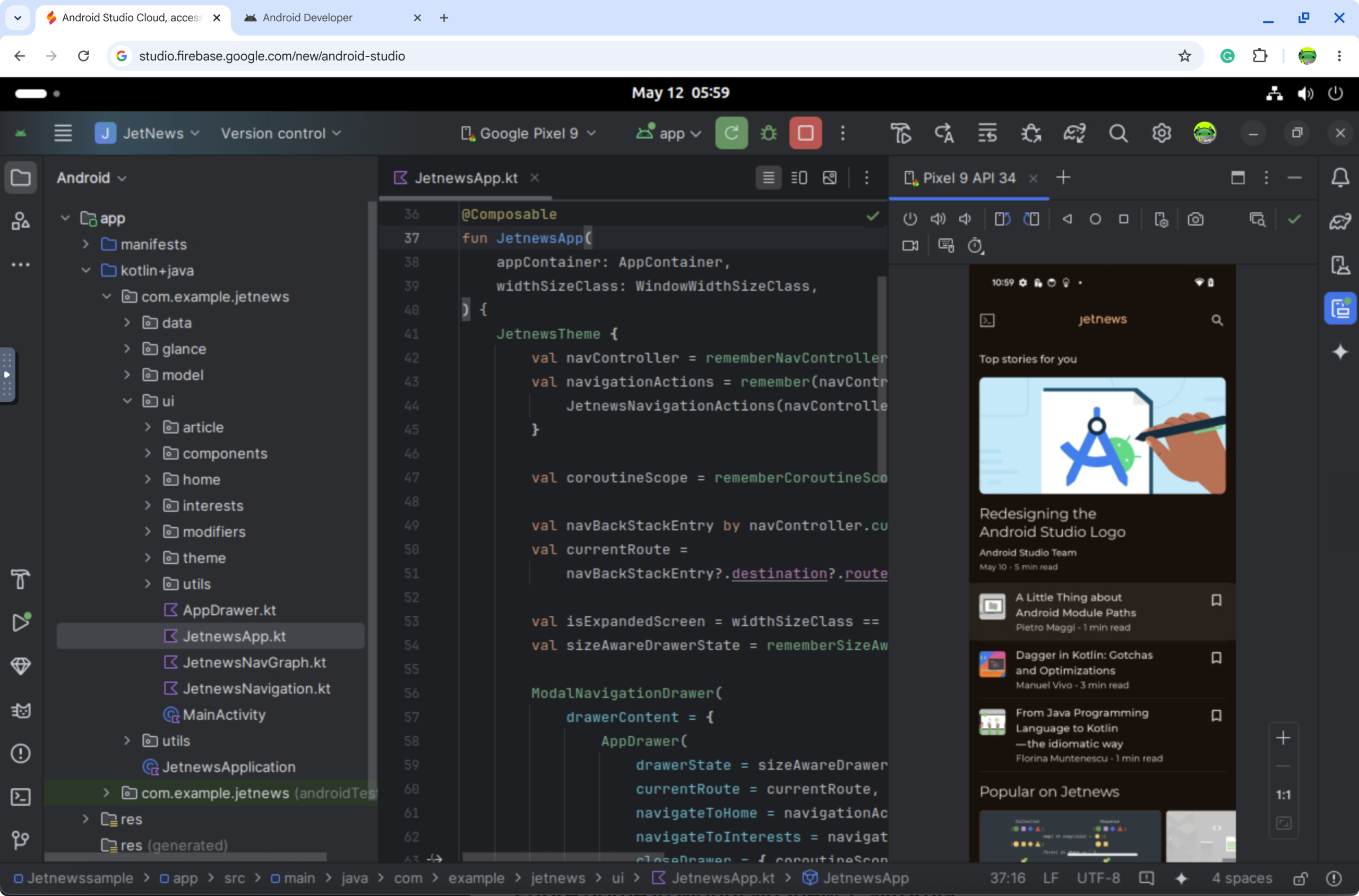
As the official integrated development environment (IDE) for Android, Android Studio has redefined how developers create, test, and deploy applications for the platform. This comprehensive overview delves into the core aspects of Android Studio, highlighting its significance, interface, and key features.
The interface of Android Studio is a testament to user-centric design. Its sleek and organized layout streamlines the app development journey, with many tools and windows accessible in a cohesive workspace. The intelligent arrangement of components facilitates fluid navigation, empowering developers to concentrate on their code and design rather than
Features
- Compose design tools
Create dynamic layouts with Jetpack Compose. Then, preview your layouts on any screen size and inspect composed animations using the built-in inspection tools. - Intelligent code editor
Write better code, work faster, and be more productive with an intelligent code editor that provides code completion for Kotlin, Java, and C/C++ programming languages. Moreover, when editing Jetpack Compose, your code changes are reflected immediately with Live Edit. - Easily emulate any device.
The Android Emulator lets you test your application on various Android devices. Unlock your apps’ full potential by using responsive layouts that adapt to fit phones, tablets, foldables, Wear OS, TVs, and ChromeOS devices. - Flexible build system
Powered by Gradle, Android Studio’s build system lets you customize your build to generate multiple variants for different Android devices from a single project. Then, analyze the performance of your builds and understand where potential build issues exist in your project with the Build Analyzer. - Version Control Integration
Android Studio seamlessly integrates with popular version control systems like Git. This enables developers to track changes, collaborate with team members, and manage their codebase effectively. - Performance Profiling
Developers can analyze their app’s performance using the built-in profiling tools. This helps identify bottlenecks and optimize the app for better responsiveness and efficiency. - Comprehensive Testing Tools
The IDE offers a range of testing tools, including unit testing, integration testing, and UI testing. This ensures that apps are thoroughly tested and stable before deployment. - Visual Layout Editor
The visual layout editor simplifies the process of designing user interfaces. Developers can drag and drop UI components, preview layouts in real-time, and fine-tune the appearance of their app. - C++ and NDK support with cloud integration
Technical Details
- Software Name: Android Studio For Mac
- Software File Name: 8zmopx6b852e/Android-Studio-2026.1.1.9.dmg
- Software Version: 2026.1.1.9
- File Size: 1 GB
- Developers: Android Studio
- Language: Multilingual
- Working Mode: Offline (You don’t need an internet connection to use it after installing)
System Requirements
- Operating System: macOS Sonoma 14.0 or later
- Processor: Apple Silicon (M1, M2, M3, M4) or Intel Core i5 or later
- RAM: 4 GB minimum, 8 GB recommended
- Storage: 150 MB free disk space
- Internet: Required for Structured Cloud sync and AI planning features
Free Download
Click on the button given below to download free setup. It is a complete offline setup for macOS.









