
Download System Scanner full version program free setup for Windows.
System Scanner Overview
System Scanner gathers and displays vital information about your computer’s hardware, software, and overall performance. This program allows users to delve into the specifications of various components, including the operating system, central processing unit (CPU), random access memory (RAM), video card, hard drive, motherboard, and more.
In-Depth Data
With System Scanner, you can quickly identify the version and architecture of your operating system, as well as details about system updates. It provides in-depth information about your CPU, including its model, core count, clock speed, and current temperature. Additionally, you can monitor the amount and speed of RAM installed on your machine, which can help assess multitasking capabilities. It also details your video card, enabling you to check its maker, model, memory size, and performance, which is crucial for gaming and graphic design tasks.
Features
Comprehensive Overview
System Scanner offers a comprehensive overview of your hard drive(s) by detailing essential specifications such as total capacity, the amount of used space, and read/write speeds. This information is invaluable for effectively managing your storage, as it allows you to assess available space, monitor performance, and make informed decisions about data organization and storage upgrades. Understanding these metrics will enable you to optimize your storage usage and ensure your system runs efficiently.
Motherboard Info
Lastly, System Scanner provides insights into your motherboard’s make and model, allowing you to understand compatibility with upgrades and expansions. Overall, this tool is invaluable for anyone looking better to understand their computer’s capabilities and performance metrics.
Utilizes WinSAT Service
System Scanner works with the Windows System Assessment Tool (WinSAT) service, which helps you check your computer’s performance and parts using the Windows Experience Index (WEI) score. This feature is available on all Windows versions, but recent operating systems have removed it from the Control Panel.
Widgets and Screensaver
Additionally, System Scanner includes widgets for displaying collected information directly on the Windows desktop and a screensaver that shows system activity when the user is inactive.
System Scanner efficiently gathers and showcases essential information about your hardware, software, and overall performance, ensuring you stay informed and in control.
Technical Details
- Software Name: System Scanner for windows
- Software File Name: System-Scanner-1.2.rar
- Software Version: 1.2
- File Size: 12MB
- Developers: pothos
- File Password: 123
- Language: Multilingual
- Working Mode: Offline (You donÆt need an internet connection to use it after installing)
System Requirements
- Operating System: Win 7, 8, 10, 11
- Free Hard Disk Space:
- Installed Memory: 1 GB
- Processor: Intel Dual Core processor or later
- Minimum Screen Resolution: 800 x 600
Download Latest Version Free
Click on the button given below to download free setup. It is a complete offline setup for Windows and has excellent compatibility with x86 and x64 architectures.
File Password: 123
TOP ALTERNATIVES
 NASA World Wind Free Download
 ImgBurn 2.5.8.0
 Braina Virtual Assistant for PC Free Download
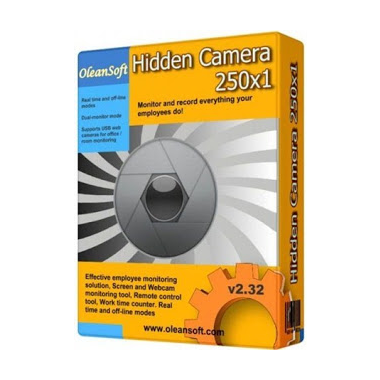 HC Security Hidden Camera 250×1 Free Download
 Download Line Messenger For PC
 Ant Download Manager 2.16.5.92283
 Free Ringtone Maker Portable 2.5.0.117
 WampServer Free Download
 DeskPins Latest Version Free Download
 TortoiseSVN Free Download