
Download RapidRAW full version program free setup for Windows.
RapidRAW Overview
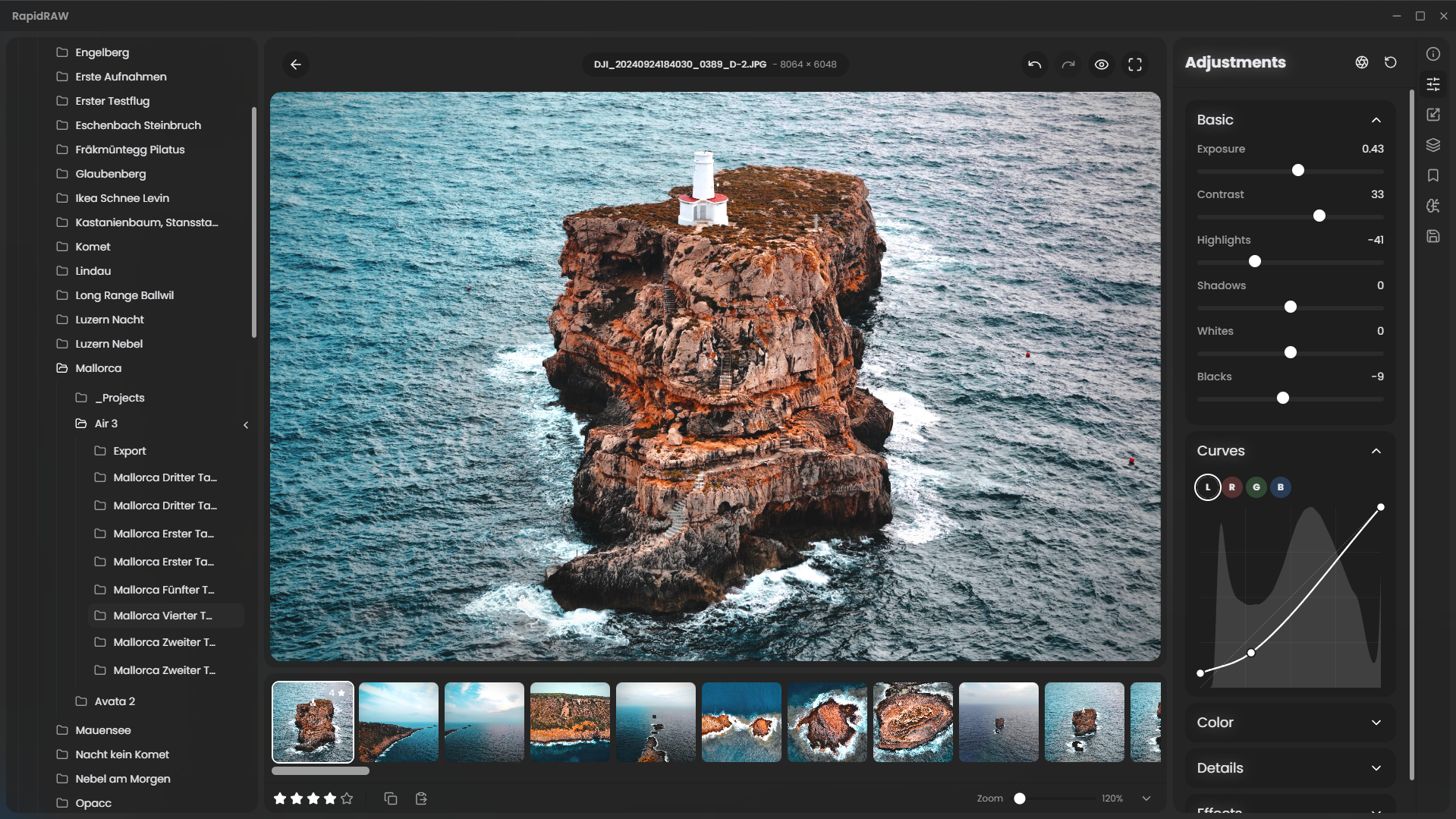
RapidRAW is a modern, high-performance alternative to Adobe Lightroom®. It delivers a simple, beautiful editing experience in a lightweight package (under 30MB) for Windows, macOS, and Linux.
Features
Core Editing Engine
GPU-Accelerated Processing: All image adjustments are processed on the GPU using a custom WGSL shader for rapid feedback.
Masking: Create masks with AI subject and foreground detection. Combine with traditional Brush, Linear, and Radial masks for great control.
Generative Edits: Remove objects or add new elements with text prompts. Each edit creates a non-destructive patch layer, powered by an optional ComfyUI backend.
Full RAW Support: Supports a wide range of RAW camera formats thanks to rawler.
Non-Destructive Workflow: All edits are stored in a .rrdata sidecar file, leaving your original images untouched.
32-bit Precision: Ensures high-quality adjustments without banding or data loss.
Professional Grade Adjustments
Tonal Controls: Exposure, Contrast, Highlights, Shadows, Whites, and Blacks.
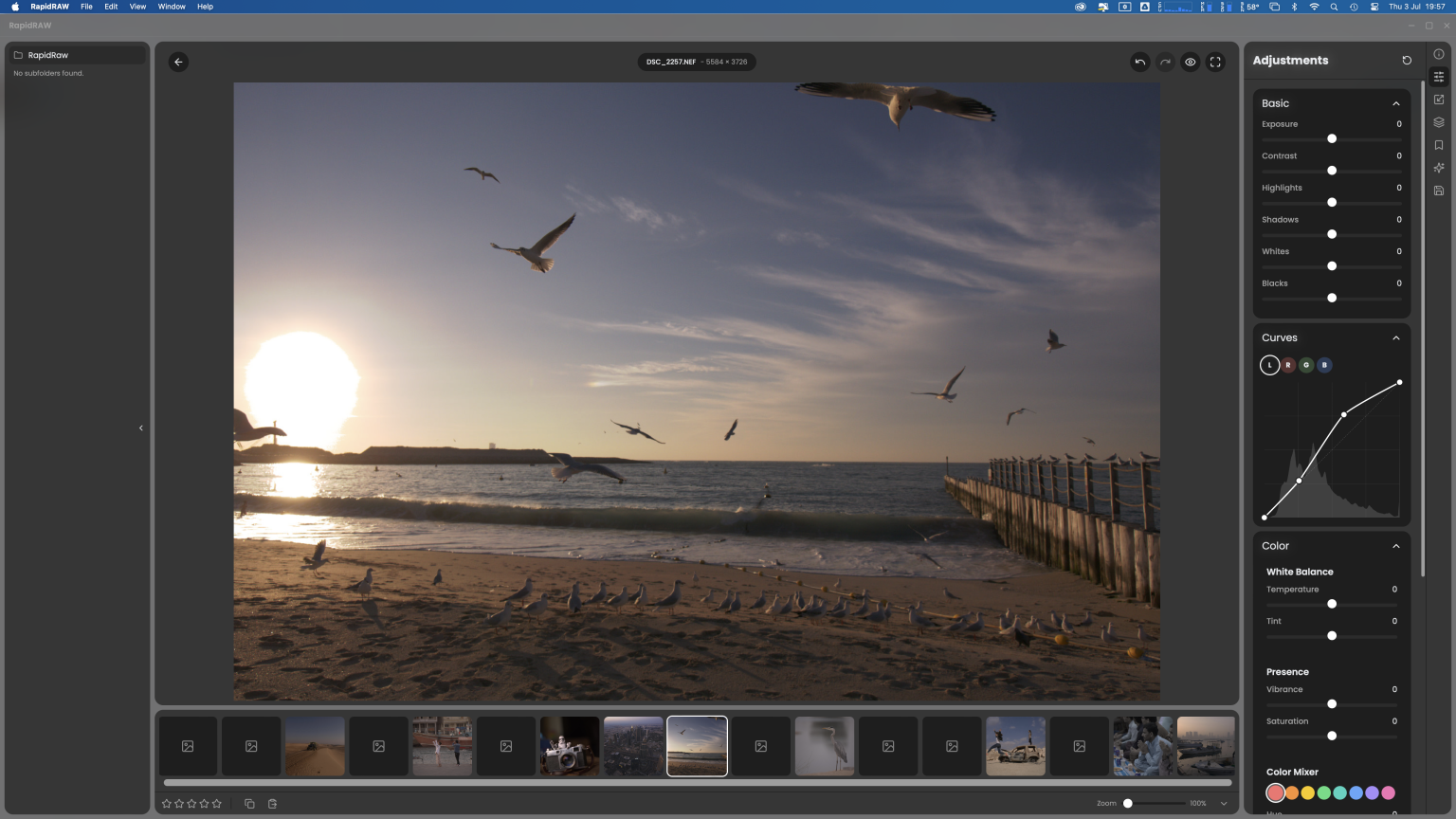
Tone Curves: Full control over Luma, Red, Green, and Blue channels.
Color Grading: Temperature, Tint, Vibrance, Saturation, and a full HSL color mixer.
Detail Enhancement: Sharpening, Clarity, Structure, and Noise Reduction.
Effects: Dehaze, Vignette, and realistic Film Grain simulation.
Transform Tools: Crop with aspect ratio locking, Rotate, and Flip.
Library & Workflow
Image Library: Effortlessly sort, rate, and manage your entire photo collection for a streamlined and efficient workflow.
Folder Management: Integrated folder tree, create, rename, and delete folders directly within the app.
File Operations: Copy, move, and duplicate images and their associated edits.
Filmstrip View: Quickly navigate between all the images in your current folder while editing.
Batch Operations: Save significant time by applying a consistent set of adjustments or exporting entire batches of images simultaneously.
EXIF Data Viewer: Gain insights by inspecting the complete metadata from your camera, including shutter speed, aperture, ISO, and lens information.
Productivity & UI
Preset System: Create, save, import, and export your favorite looks.
Copy & Paste Settings: Quickly transfer adjustments between images.
Undo/Redo History: A robust history system for every edit.
Customizable UI: Resizable panels and multiple beautiful UI themes with smooth animations.
Exporting: Control file format (JPEG, PNG, TIFF), quality, and resizing options on export.
Technical Details
- Software Name: RapidRAW For Windows
- Software File Name: RapidRAW-1.4.1.rar
- Software Version: 1.4.1
- File Size: 17MB
- Developers: github
- File Password: 123
- Language: Multilingual
- Working Mode: Offline (You donÆt need an internet connection to use it after installing)
System Requirements
- Operating System: Win 7, 8, 10, 11
- Free Hard Disk Space:
- Installed Memory: 1 GB
- Processor: Intel Dual Core processor or later
- Minimum Screen Resolution: 800 x 600
Download Latest Version Free
Click on the button given below to download free setup. It is a complete offline setup for Windows and has excellent compatibility with x86 and x64 architectures.
File Password: 123
TOP ALTERNATIVES
 NASA World Wind Free Download
 ImgBurn 2.5.8.0
 Braina Virtual Assistant for PC Free Download
 HC Security Hidden Camera 250×1 Free Download
 Download Line Messenger For PC
 Ant Download Manager 2.16.5.92283
 Free Ringtone Maker Portable 2.5.0.117
 WampServer Free Download
 DeskPins Latest Version Free Download
 TortoiseSVN Free Download