
Download UniGetUI 2026 full version program free setup for Windows.
UniGetUI 2026 Overview
Winget is a package manager that is most likely very familiar to many, but most casual users simply forgo using it due to the command line interface, which may seem daunting to get into. Those who know their way around such interfaces will argue that they’re as simple as they come, but most casual users would still prefer a GUI.
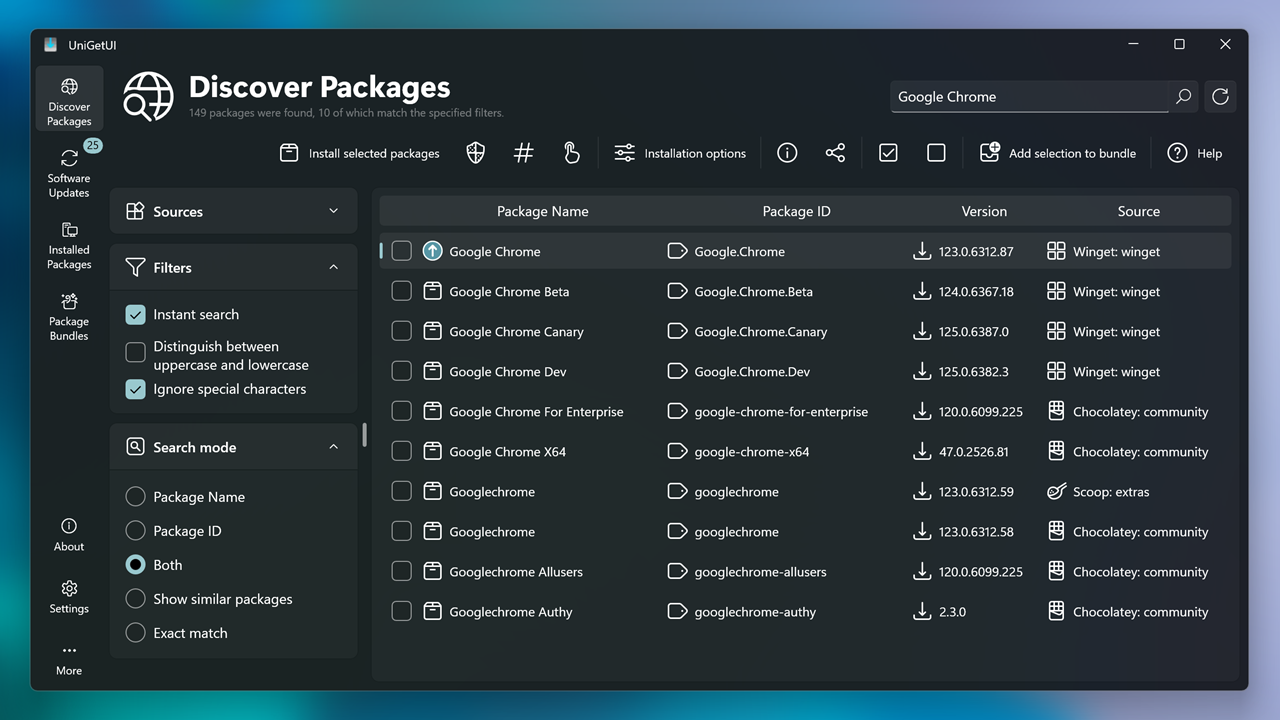
Formerly known as WingetUI, UniGetUI, as its name would suggest, provides a graphical interface for all of your software management needs. Whether it is installing or removing software, or updating existing programs on your computer, this solution supports Winget, Scoop, and Chocolatey as its package managers, meaning that you’ll have a generous catalog of programs to look into.
Features
UniGetUI makes for an efficient way to quickly install numerous programs on your system, and having a GUI makes that process a whole lot easier for all types of users. As far as user interfaces go, this one is decidedly modern and easy to navigate, so it is quite a successful implementation.
Upon first boot-up, you’ll have the ability to choose your preferred package managers. Winget and Chocolatey are automatically selected, but you can also enable Scoop, which is a package manager that contains utilities that serve a more experienced user base.
After all of that, it’s time to look through the software catalog. To say it’s generous would be underselling it: over 10.000 software packages are available across all three package managers, so feel free to look up the programs you need.
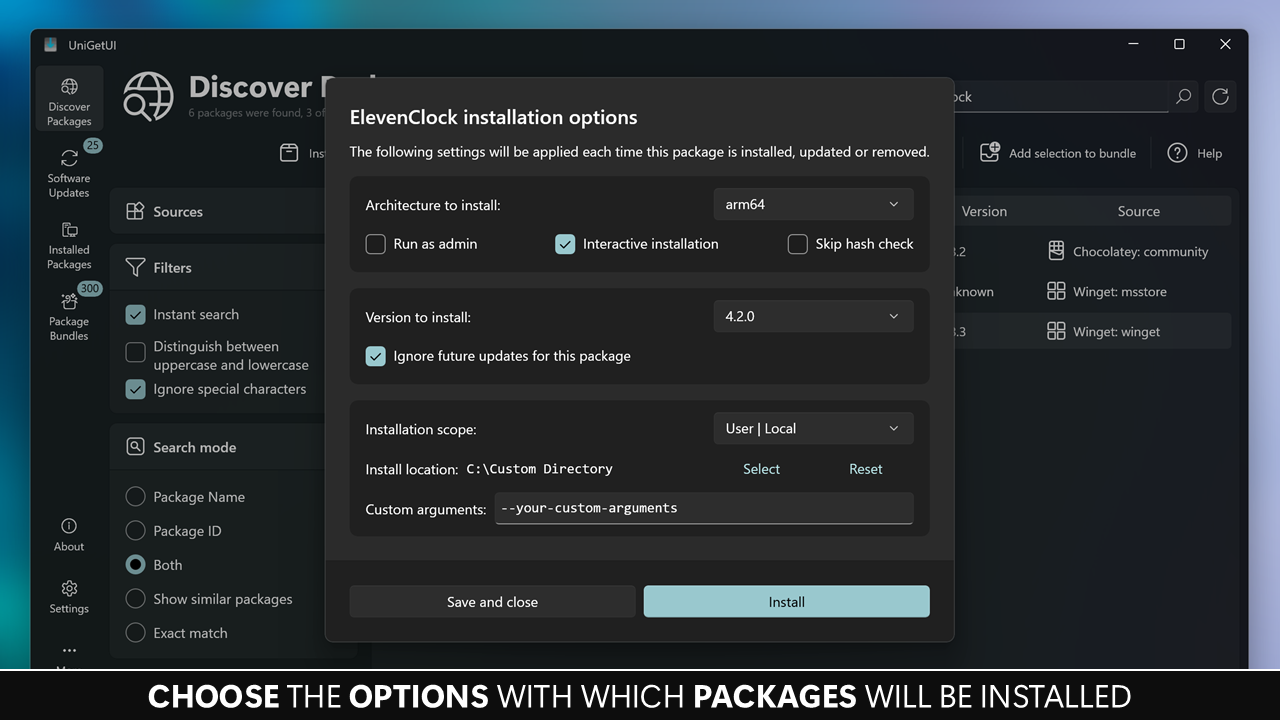
After you’ve chosen your software, it’s time to get to installing. You can choose to have the program handle the installation for you, or you can do it manually via the Interactive Installation option. You’re also free to skip the hash check for a faster downloading process.
The tool also features a Software Updates utility, which scans the programs on your computer, and notifies you of any updates. This makes for a good, efficient way to mass-update multiple programs at once.
You can also uninstall some installed programs via the Installed Packages interface. Select the ones you wish to dispose of, and the software will help make the process quicker.
UniGetUI provides an interface that allows users to efficiently take advantage of several package managers, helping them install and manage the software on their computer more effectively.
Technical Details
- Software Name: UniGetUI for windows
- Software File Name: UniGetUI-2026.2.7.rar
- Software Version: 2026.2.7
- File Size: 53MB
- Developers: github
- File Password: 123
- Language: Multilingual
- Working Mode: Offline (You donÆt need an internet connection to use it after installing)
System Requirements
- Operating System: Win 7, 8, 10, 11
- Free Hard Disk Space:
- Installed Memory: 1 GB
- Processor: Intel Dual Core processor or later
- Minimum Screen Resolution: 800 x 600
Download Latest Version Free
Click on the button given below to download free setup. It is a complete offline setup for Windows and has excellent compatibility with x86 and x64 architectures.
File Password: 123
TOP ALTERNATIVES
 NASA World Wind Free Download
 ImgBurn 2.5.8.0
 Braina Virtual Assistant for PC Free Download
 HC Security Hidden Camera 250×1 Free Download
 Download Line Messenger For PC
 Ant Download Manager 2.16.5.92283
 Free Ringtone Maker Portable 2.5.0.117
 WampServer Free Download
 DeskPins Latest Version Free Download
 TortoiseSVN Free Download